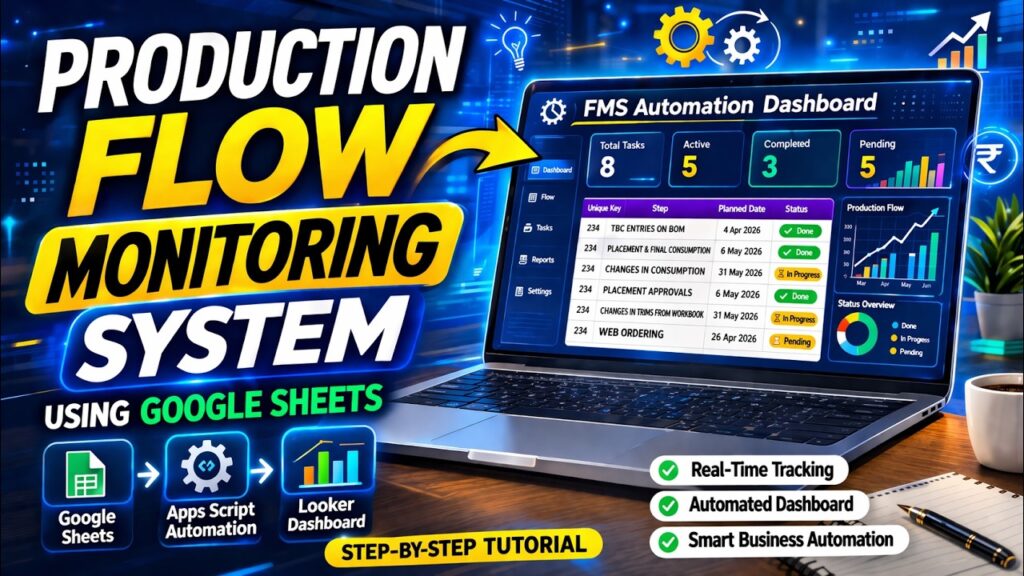
Production Flow Monitoring System
Complete Production Flow Monitoring System using Google Sheets, Apps Script, and Looker Studio Dashboard.
About this project
Complete Production Flow Monitoring System using Google Sheets, Apps Script, and Looker Studio Dashboard. This automation system helps you track the entire production workflow, monitor tasks, manage approvals, and control production flow in real time.
1. Dashboard
- Today’s Production Status
- Pending Production Orders
- Completed Orders
- Machine Utilization %
- Production Efficiency
- Rejection/Wastage Summary
- Material Shortage Alerts
- Live Production Tracking
2. Production Planning
- Production Order Creation
- Daily/Weekly/Monthly Production Plan
- Capacity Planning
- Production Scheduling
- Shift Planning
- Work Center Allocation
- Priority-wise Job Scheduling
3. Production Requisition System
- Department-wise Material Requirement
- Requisition Approval Workflow
- Pending Requisition Tracking
- Auto Stock Availability Check
- Material Issue Request
4. Bill of Material (BOM)
- Product-wise BOM Creation
- Raw Material Consumption Standard
- Multi-Level BOM
- BOM Revision History
- Cost Calculation
5. Work Order Management
- Work Order Generation
- Work Order Assignment
- Production Stage Tracking
- Work Order Status
- Pending
- Running
- Hold
- Completed
6. Raw Material Management
- Opening Stock
- Material Inward
- Material Issue
- Stock Transfer
- Stock Adjustment
- Minimum Stock Alert
- Batch-wise Tracking
7. Production Entry
- Shift-wise Production Entry
- Machine-wise Production Entry
- Operator-wise Production Entry
- Good Quantity
- Rejected Quantity
- Rework Quantity
- Production Remarks
8. Machine Management
- Machine Master
- Machine Capacity
- Machine Utilization
- Machine Breakdown Entry
- Maintenance Schedule
- Downtime Analysis
9. Quality Control (QC)
- Incoming Material Inspection
- In-Process Inspection
- Final Product Inspection
- Rejection Analysis
- QC Approval
- QC Reports
10. Inventory Integration
- Auto Raw Material Consumption
- Auto Finished Goods Creation
- Real-Time Stock Update
- Stock Ledger
- Inventory Reports
11. Employee & Operator Management
- Employee Master
- Department Assignment
- Shift Assignment
- Operator Performance
- Attendance Integration
- Productivity Tracking
12. Purchase Integration
- Auto Purchase Requisition
- Low Stock Alerts
- Vendor Management
- Purchase Order Tracking
- Material Receipt Tracking
13. Maintenance Module
- Preventive Maintenance Schedule
- Breakdown Maintenance
- Maintenance Cost Tracking
- Machine Service History
14. Approval Workflow
- Requisition Approval
- Production Approval
- Material Issue Approval
- Multi-Level Approval System
- Approval History
15. Reports & MIS
- Daily Production Report
- Shift-wise Production Report
- Machine-wise Report
- Operator-wise Report
- Rejection Report
- Material Consumption Report
- Production Efficiency Report
- Cost Analysis Report
- WIP (Work In Progress) Report
16. Notifications
- WhatsApp Alerts
- Email Notifications
- Material Shortage Alerts
- Production Delay Alerts
- Approval Pending Alerts
Recommended Production Flow
Sales Order → Production Planning → Material Requisition → Approval → Material Issue → Production Work Order → Production Entry → QC Check → Finished Goods Stock → Dispatch
This system is perfect for:
- Manufacturing companies
- Production managers
- Operations teams
- Factory monitoring
- Workflow automation
🔥 Features of this Production Flow Monitoring System:
- ✔ Flow Monitoring System using Google Sheets
- ✔ Production Task Tracking Dashboard
- ✔ Apps Script Automation Dashboard
- ✔ Looker Studio Analytics Dashboard
- ✔ Production Step Monitoring
- ✔ Real-time Production Data Tracking
- ✔ Workflow Automation This solution helps companies automate their production monitoring without expensive software.
Tools used in this tutorial:
- Google Sheets
- Google Apps Script
- Looker Studio
- Automation Dashboard
 Whether you’re running a manufacturing business, agency, or service-based company, this system helps you: Track leads & quotations easily Automate follow-ups Monitor payments & collections Improve conversion rate Manage clients in one place
  Fully automated with a Google Sheets backend + smart dashboard + mobile view support
 Why You Should Watch This Video
 No coding required
- 100% automation
- Real business use-case
- Beginner to advanced level
- Saves time & increases efficiency
 Bonus Features
 Mobile-friendly dashboard
- Real-time analytics
- Easy to customize
- Scalable system
If you want advanced Google Sheet automation systems for your business or organization, feel free to connect with us.
 Business Automation & Custom MIS Solutions Available Call Now : 8340655059
Project features
- Production Planning & Scheduling
- Work Order Management
- Material Requisition System
- Bill of Material (BOM) Management
- Real-Time Production Tracking
- Raw Material Consumption Monitoring
- Finished Goods Management
- Machine Utilization Tracking
- Shift-wise Production Monitoring
- Quality Control & Inspection
- Rejection & Wastage Analysis
- Inventory & Stock Integration
- Auto Material Requirement Planning (MRP)
- Production Cost Analysis
- Work-in-Progress (WIP) Tracking
- Employee & Operator Performance Monitoring
- Production Approval Workflow
- Maintenance & Breakdown Management
- WhatsApp & Email Notifications
- Role-Based User Access Control
- Barcode / QR Code Integration
- Multi-Plant / Multi-Location Support
- Dashboard & MIS Reports
- Mobile-Friendly Interface
- Real-Time Analytics & Insights